
Open Cover / Remix
Make a cover ↗️
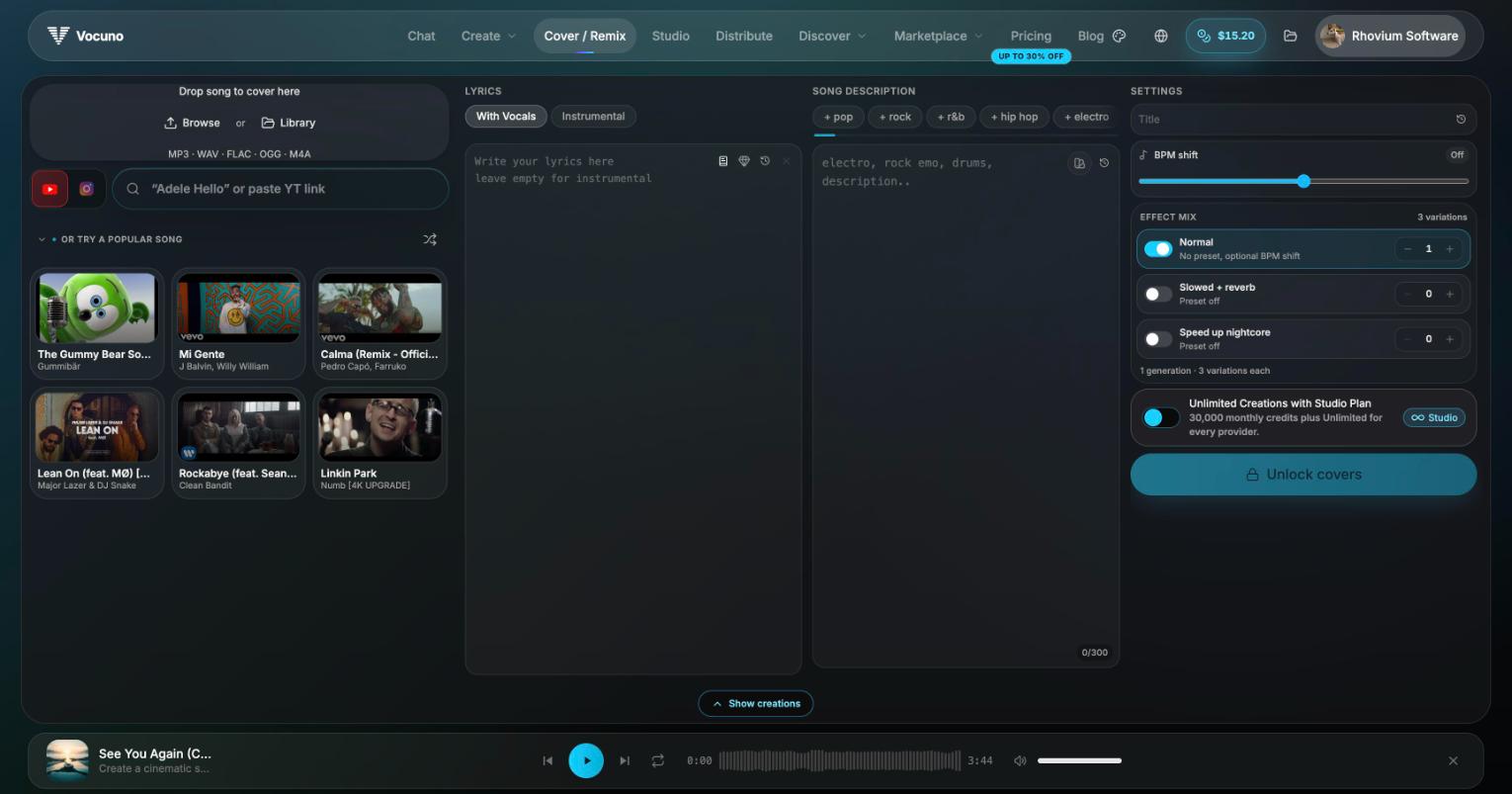
The Cover / Remix page
Sources
Your reference track can come from anywhere:- Upload — MP3, WAV, FLAC, OGG, or M4A
- YouTube or Instagram — paste a link (or search, e.g. “Adele Hello”) and Vocuno captures the audio for you
- Your library — any song or stem you’ve already created or captured
How it works
- Drop in your source song (or pick one of the suggested popular tracks).
- Choose With Vocals or Instrumental, and optionally write new lyrics.
- Describe the target style (“electro, rock emo, drums…”) and add style tags.
- Pick your effect mix — each generation produces 3 variations, split between:
- Normal — straight cover, with an optional manual BPM shift
- Slowed + reverb
- Speed up / nightcore
- Generate. Covers land in your library and can be published to the Listen covers feed.
Providers
The full-screen/cover page runs on the Vocuno engine, which is built for covering songs — including copyrighted ones for personal use. Cover mode inside Create Song also supports Suno, MusicGPT, MiniMax, and Mureka; note that Suno covers only work with original songs you own the rights to — for copyrighted material, use Vocuno Cover.
Free covers
Every new account gets 2 free Vocuno covers (a one-time allowance — failed runs don’t count against it). After that, covers use your plan’s credits, and Studio plan members get a daily included Vocuno-cover allowance on top.Frequently asked questions
Can I cover a copyrighted song?
Can I cover a copyrighted song?
With the Vocuno engine, yes — for personal listening and sharing within the Vocuno community. Distribution of covers to streaming platforms has additional licensing requirements; see Copyright & Licensing.
Why do I get three results per generation?
Why do I get three results per generation?
Each cover run produces 3 variations so you can pick the take that fits best. The effect-mix counters control how many of each style (normal, slowed + reverb, nightcore) you get.
Can I change the lyrics?
Can I change the lyrics?
Yes — write your own lyrics in the lyrics panel, or leave it empty and toggle Instrumental for a vocal-free version.