
Open Listen
Browse music ↗️
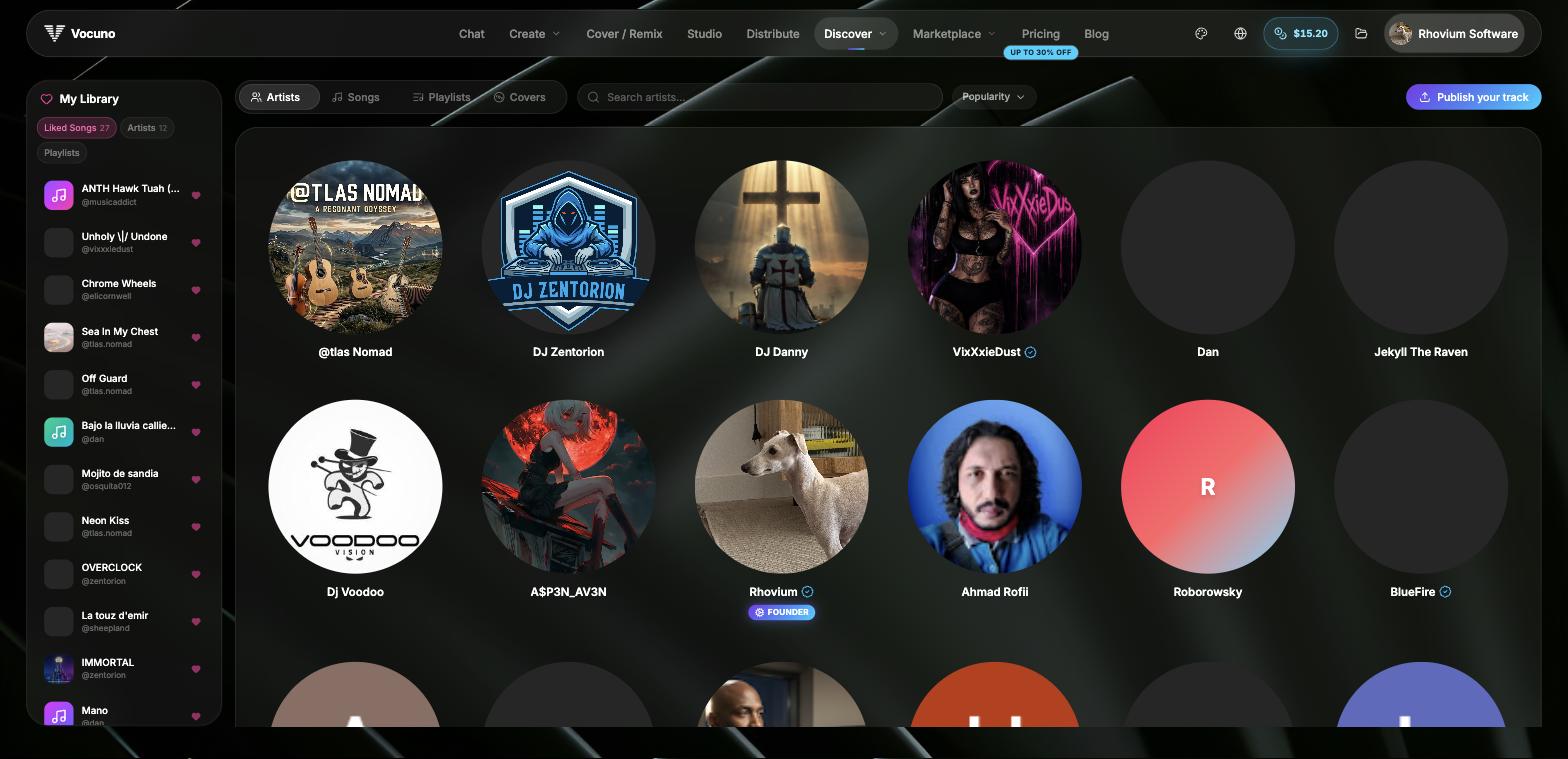
Discovering artists on Listen
What you can do
- Discover tracks and artists — browse by song, artist, or playlist; trending content surfaces at the top.
- Artist profiles — view a creator’s catalogue, follower count, social links (Spotify, Apple, YouTube, Instagram, TikTok), and verified status.
- Persistent player — playback continues across pages with a bottom player that has skip, seek, volume, and queue controls.
- Playlists — explore public playlists, like songs, and follow artists to build a personalised feed.
- Comments — join the conversation on any published track, right from the song page, feed, or player.
- Your profile — your published tracks, followed artists, and liked songs are all visible on your public profile at
vocuno.com/listen/profile.
Comments
Every published track has a comment section, available on the song page, on feed cards, and in the player. You can like comments, and the track’s creator gets an artist badge on their replies and can pin one comment to the top of the thread. If you see something that doesn’t belong, use the report option on the comment — repeatedly reported comments are hidden automatically and reviewed by moderation.Publishing to Listen
Tracks released through Distribution automatically appear on Listen with a “created with Vocuno” badge. Set up your artist profile (display name, bio, profile image, cover art, genre tags) and your songs become discoverable to the community.Frequently asked questions
Do I need a paid plan to use Listen?
Do I need a paid plan to use Listen?
No — anyone can browse Listen, like songs, comment, follow artists, and build playlists. A paid plan is only needed to publish your own music via Distribution.
How do stream counts work?
How do stream counts work?
Vocuno aggregates listener stats from Spotify, Apple Music, and YouTube and shows them on track and artist pages with milestone badges (100K, 1M, 10M+).
Is everything I create public?
Is everything I create public?
No. Only tracks you submit through Distribution appear on Listen. Drafts and library tracks remain private.