> ## Documentation Index
> Fetch the complete documentation index at: https://support.vocuno.com/llms.txt
> Use this file to discover all available pages before exploring further.
> Turn any text prompt or lyrics into a complete song with AI vocals and instrumentals. Powered by Suno, MusicGPT, Minimax, Lyria 3 and ElevenLabs
# Create Song
Try it now! ↗️
 ## Simple Mode
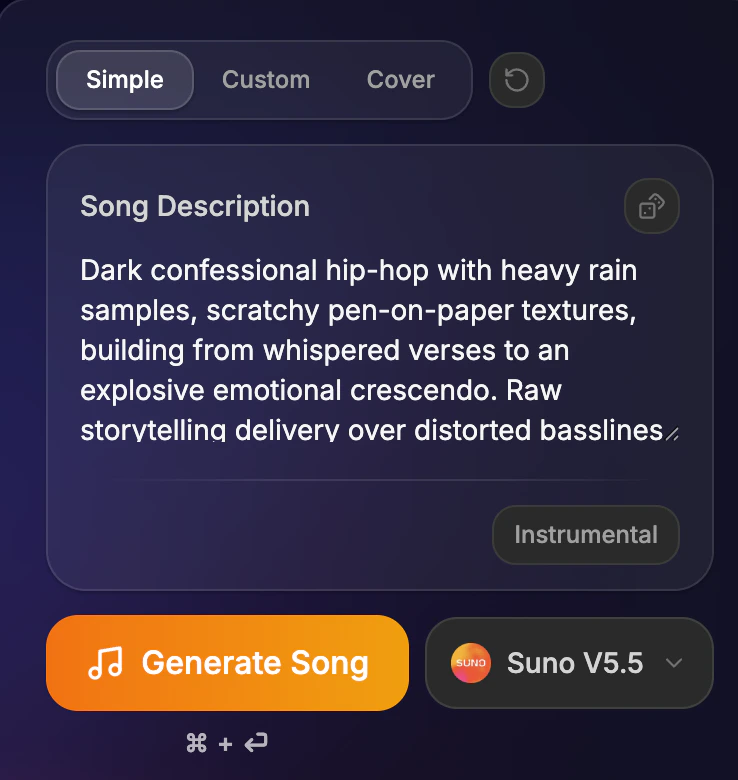
Enter your song description and select the music model your want and click on generate song. Your song preview should be ready in less than 30 seconds!
\
If you wish your song to be instrumental only click on the option "Instrumental"
## Custom Mode
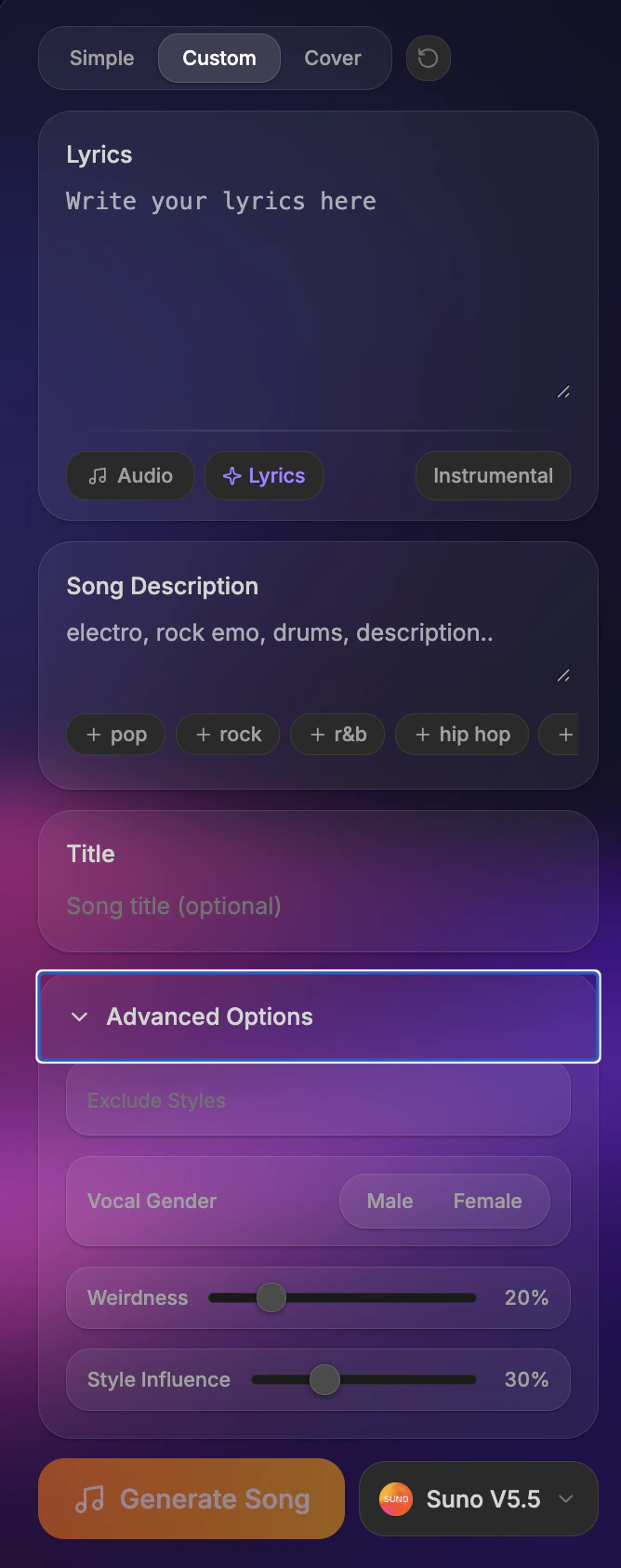
In custom mode you will have way more options! \
\
You can add lyrics, select the gender of the vocal, say how much you want the model to be creative (weirdness parameter) and how much does the model has to follow your instructions (style influence parameter)
## Simple Mode
Enter your song description and select the music model your want and click on generate song. Your song preview should be ready in less than 30 seconds!
\
If you wish your song to be instrumental only click on the option "Instrumental"
## Custom Mode
In custom mode you will have way more options! \
\
You can add lyrics, select the gender of the vocal, say how much you want the model to be creative (weirdness parameter) and how much does the model has to follow your instructions (style influence parameter)
 ## Cover Mode
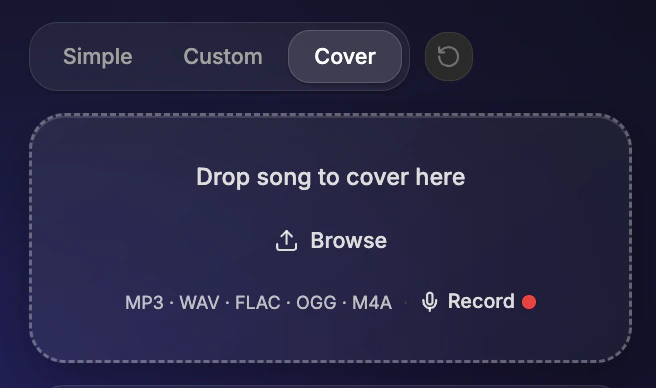
The Cover mode allows you to ask the model to follow closely an existing audio. \
\
Select your audio and then add the different parameter like in custom mode.
## Cover Mode
The Cover mode allows you to ask the model to follow closely an existing audio. \
\
Select your audio and then add the different parameter like in custom mode.
 ## Models Available
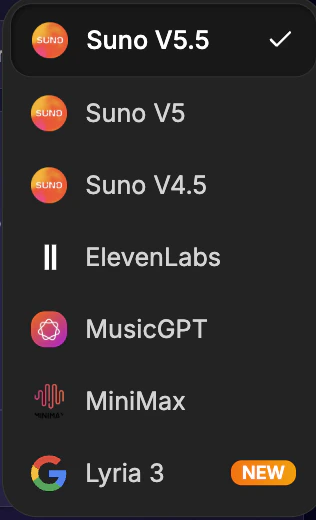
The models available are currently, Suno V5.5, V5 and V4.5 as well as ElevenLabs, MusicGPT, Minimax and Lyria3. You can select them in the dropdown
## Models Available
The models available are currently, Suno V5.5, V5 and V4.5 as well as ElevenLabs, MusicGPT, Minimax and Lyria3. You can select them in the dropdown
 ## Frequently asked questions
You provide a text prompt describing the song you want — genre, mood, tempo — or paste your own lyrics. Vocuno sends your request through a multi-step pipeline: first generating the raw track with Suno or MusicGPT, then isolating stems, converting the voice to your chosen AI singer, and mixing everything into a polished final song.
Yes. You can write lyrics from scratch, use the AI lyrics generator, or paste existing lyrics. The AI will compose the melody and arrangement around your words while matching the genre and mood you select.
Vocuno supports all genres like pop, hip-hop, R\&B, rock, EDM, country, jazz, lo-fi, and many more. You can also describe hybrid styles or specific subgenres in your text prompt.
A typical song takes 3–5 minutes. However you should be able to see a preview in less than a miunute.
Music generated with Vocuno can be used in your projects. Review the terms of service of the underlying AI providers (Suno, MusicGPT) for specific licensing details regarding commercial use.
## Frequently asked questions
You provide a text prompt describing the song you want — genre, mood, tempo — or paste your own lyrics. Vocuno sends your request through a multi-step pipeline: first generating the raw track with Suno or MusicGPT, then isolating stems, converting the voice to your chosen AI singer, and mixing everything into a polished final song.
Yes. You can write lyrics from scratch, use the AI lyrics generator, or paste existing lyrics. The AI will compose the melody and arrangement around your words while matching the genre and mood you select.
Vocuno supports all genres like pop, hip-hop, R\&B, rock, EDM, country, jazz, lo-fi, and many more. You can also describe hybrid styles or specific subgenres in your text prompt.
A typical song takes 3–5 minutes. However you should be able to see a preview in less than a miunute.
Music generated with Vocuno can be used in your projects. Review the terms of service of the underlying AI providers (Suno, MusicGPT) for specific licensing details regarding commercial use.